
The case for a spreadsheet
A spreadsheet is the most flexible gym log there is. You decide the columns, the formulas and the charts. You can track things no app thought of, like which barbell you used or how your elbow felt. It's free, it opens on any computer, and a CSV file from 2026 will still open in 2046.
Spreadsheets also shine at planning. Writing out a twelve-week program with rep targets that change week by week is much nicer on a laptop keyboard than on a phone. And if you work with a coach, a shared sheet is something you can both edit.
Where spreadsheets hurt
The problems show up at the gym rather than at your desk.
- Typing between sets is slow. Tiny cells, a phone keyboard and sweaty fingers. Finding today's row, then the right column for set 3, can take longer than the set itself.
- Last time is hard to see. The numbers you need to beat are rows or tabs away.
- Formulas break. Paste one row in the wrong place and your volume chart quietly goes wrong.
- Charts take work. A progress chart for each exercise that updates itself is a project in its own right.
- Cloud sheets need signal. Most can work offline, but only if you set that up before you're standing in a basement gym.
A common workaround is jotting numbers into a notes app at the gym and copying them into the sheet later. That second step is the one that gets skipped.
The case for an app
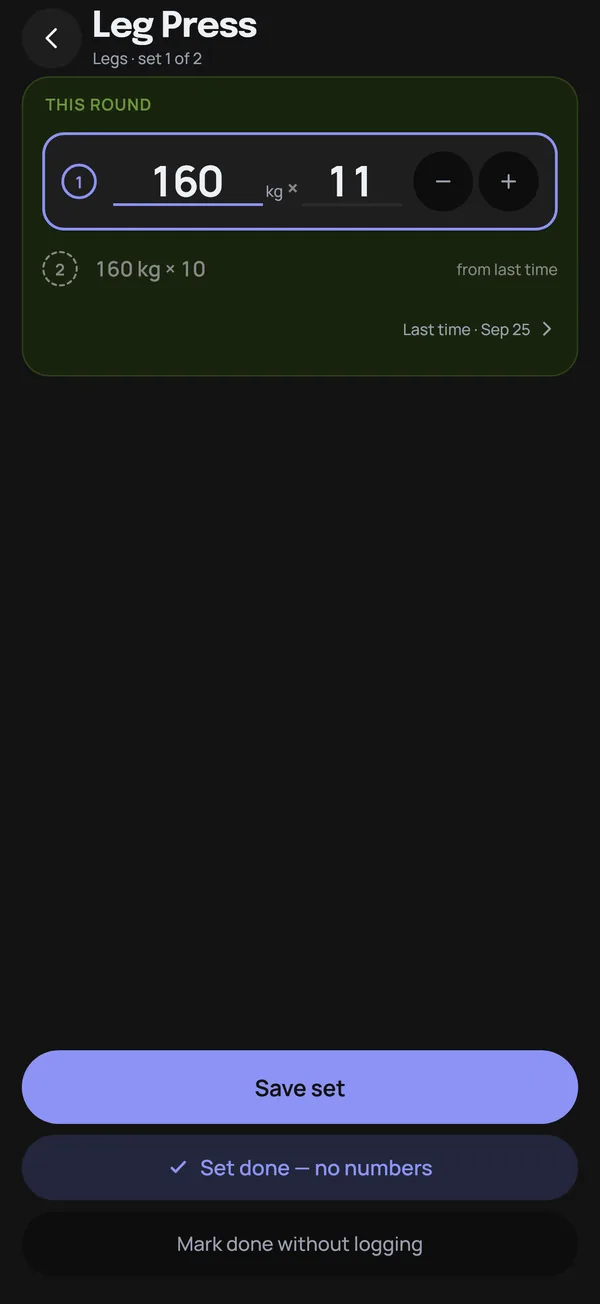
A good gym app is built for the 90 seconds between sets. In Mooskles, last time's numbers are already filled in, so logging a set is a nudge and a save. The To Do tab shows only what's left of today's plan, and every exercise has progress charts without you building anything.
Where apps hurt
- Lock-in. Some apps keep your history on their servers and give you no way to export it.
- Subscriptions. Charts, full history or export can sit behind a paywall. See free workout apps with no ads or subscription for what to check.
- Fixed structure. You track what the app tracks. Custom fields and one-off formulas are out.
- Accounts. Many apps want your email before you can log a set.
Side by side
| Spreadsheet | App | |
|---|---|---|
| Logging speed at the gym | Slow on a phone | Fast, with last time filled in |
| Planning a program | Excellent on a computer | Varies by app |
| Progress charts | You build them | Built in |
| Custom analysis | Anything you can write a formula for | Whatever the app offers |
| Cost | Free | Anywhere from free to a subscription |
| Works offline | Local files yes, cloud sheets with setup | Depends on the app |
| Owning your data | Always | Only if it exports |
Getting both: log in the app, analyse in the sheet
You don't have to choose. Log in an app that exports, and pull your data into a spreadsheet whenever you want something the app doesn't do.
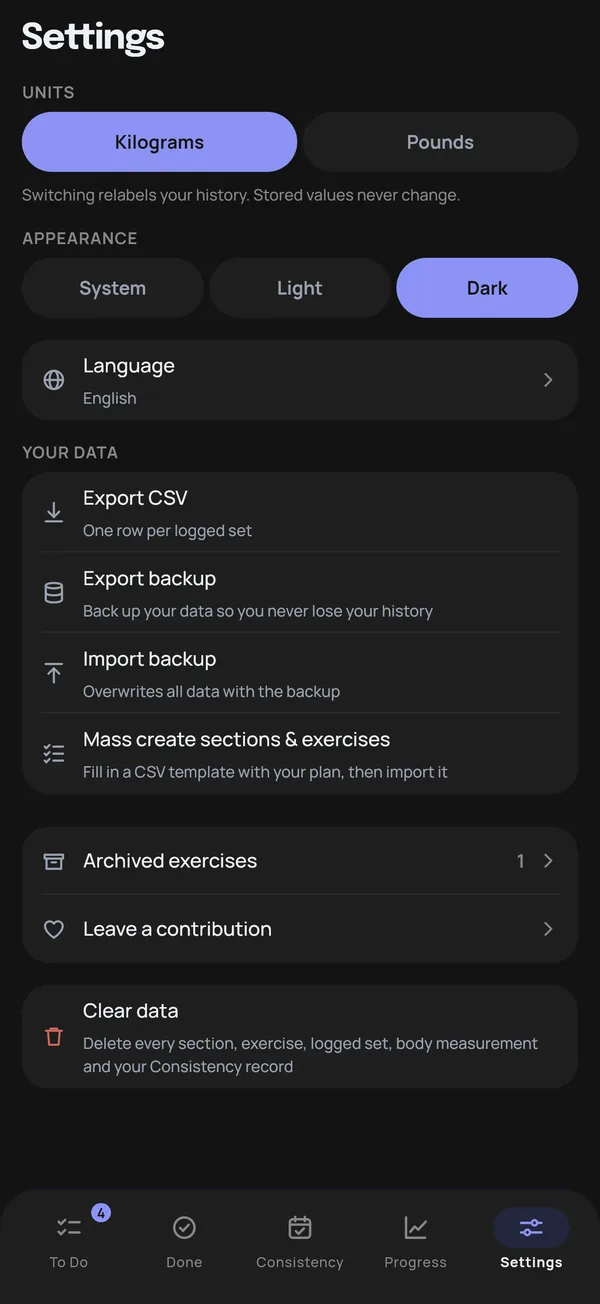
In Mooskles, Export CSV in Settings writes one row per logged set, with these columns:
date, time, section, exercise, tracking_type, round, set_number,
weight, weight_unit, weight_kg, reps, duration_s, completed_only, archived
The weight column uses whichever unit you've picked in Settings, and weight_kg is always in kilograms, so your formulas don't have to care about units. Sets you logged as done without numbers are flagged in completed_only, so you can filter them out before averaging anything.
A few things worth building once you have the file:
- Weekly volume per exercise. Add a column for
weight_kg × repsand one for the week number of the date, then make a pivot table with exercises as rows, weeks as columns and the sum of volume as values. - Balance between sessions. Count sets by
sectionfor each week to see whether your push, pull and leg work stay even. - Best set per month. Filter to one exercise and take the highest
weight_kgin each month.
The CSV is for analysis and doesn't import back into the app. To move your log to a new phone, use Export backup and Import backup instead.
Planning in a spreadsheet, logging in the app
It works the other way round too. If you'd rather write your program on a computer, Mooskles has a CSV plan template under Settings → Mass create sections & exercises. Fill in one row per exercise with its section, how it's tracked and how many sets you plan, then import the file to create everything at once. Our push/pull/legs planner has a worked example.
Which should you pick?
If you already have a spreadsheet you love and don't mind the typing, keep it. If you keep meaning to fill it in later and don't, try logging in an app for a month and exporting at the end. The best gym log is the one with every set in it, and the surest way to get there is to make logging take seconds. Once the data is there, tracking progressive overload is a matter of reading it.
Mooskles logs a set in two taps and exports every one to CSV when you want the spreadsheet too. Free, offline, no account, no ads.
Get Mooskles