
Why gyms are signal black spots
Gyms end up in basements, under car parks and in old warehouses because those spaces are big and cheap. They're also wrapped in concrete and steel, which are very good at blocking mobile signal. Put a crowd of phones on one overloaded Wi-Fi network at 6pm and even a gym with Wi-Fi can crawl.
For most apps that's a minor annoyance. For a workout log it breaks the whole job. You have a minute or two between sets, and if saving means a spinner and a retry, you either stop logging or stop resting properly.
Offline mode vs offline-first
Plenty of apps say they work offline. In practice there are two very different designs behind that claim.
Online apps with an offline mode keep your data on a server and hold a temporary copy on the phone. When the connection drops, they queue your sets and try to sync later. That can work well. It can also mean slow screens while the app tries to reach the server, history that won't load, or sets that go missing when a sync fails.
Offline-first apps keep everything on the phone permanently. There's no server copy to wait for, so the app behaves the same with full signal, one bar or airplane mode. The trade-off is that your data lives on one device, which makes backups your responsibility.
Mooskles is offline-first. Your workouts live in a database on your phone, and there's no Mooskles server to send them to.
Test any workout app in 60 seconds
Don't take an app's word for it. Before you trust one with months of training, run this test:
- Turn on airplane mode, and make sure Wi-Fi is off too.
- Close the app completely, then open it again.
- Open an exercise and log a set.
- Look at the history and the progress chart for that exercise.
- Edit the set you just logged, then delete it.
- Try exporting your data.
If any step shows a spinner, an error or a sign-in prompt, that feature depends on a connection. Note which parts fail. An app that can log offline but can't show charts offline will still frustrate you in a basement gym.
What works offline in Mooskles
- Planning: sections, exercises, planned sets, and importing a plan from the CSV template.
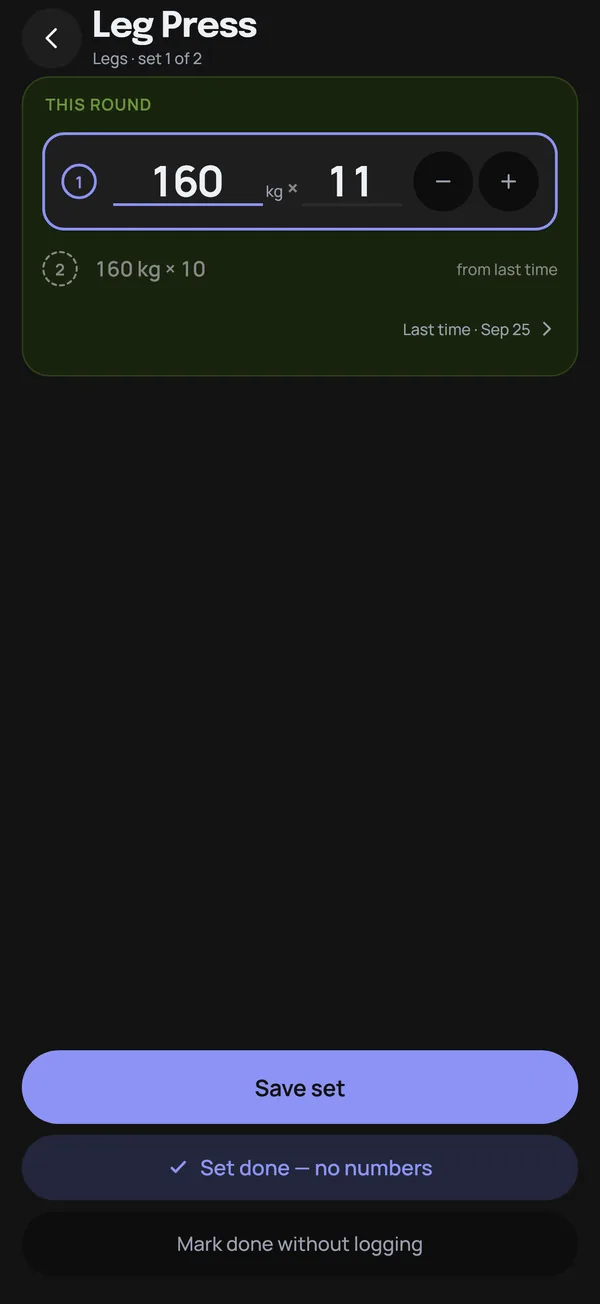
- Logging: weight × reps, reps only, timed sets with the stopwatch, and plain ticks. Last time's numbers are filled in from your own history.
- Progress charts: volume, estimated 1RM, heaviest set and total reps, over any range.
- Consistency: the weekly gauge and the Showed up grid.
- Body measurements: weight, body fat, muscle and waist, with their charts.
- Backups and CSV export: the file is created on the phone. You only need a connection if you choose to send it somewhere online.
The one thing that needs the internet is leaving an optional tip, because that payment goes through Google Play. Everything else carries on exactly the same in airplane mode.
Other places offline logging helps
Bad signal isn't limited to the gym floor. An offline log also helps when you:
- Travel abroad with roaming switched off and train in a hotel gym.
- Train outdoors in a park or on a beach, where one bar is a good day.
- Run low on mobile data near the end of the month.
- Use airplane mode on purpose to keep notifications away while you train.
That last one is underrated. A phone that can't buzz with messages can't pull you out of your session for ten minutes either. If your log works in airplane mode, you can switch everything else off and keep only the one app you need.
Offline means you make the backups
With no account and no server, there's no cloud copy of your log by default. If your phone is lost or broken, the only copies are the ones you made. Build the habit early:
- In Settings, tap Export backup.
- Save the file somewhere off the phone, like a cloud drive, a computer or an email to yourself.
- Repeat monthly, and always before you reset or replace the phone.
On a new phone, Import backup restores everything. It replaces whatever is already there, so import before you log anything new. On Android, Google's device backup may also include the app's data if you have it switched on, but your own export is the copy to rely on.
Offline pairs well with private
An app that doesn't need the internet to work also has fewer reasons to send your data anywhere. If that matters to you, read why a workout log doesn't need an account. And if you're weighing a phone app against a spreadsheet you keep on your own computer, gym log: spreadsheet vs app covers the trade-offs.
Mooskles plans, logs and charts your training with no signal at all. Free, offline, no account, no ads.
Get Mooskles